an overview
When you log in, you will see your home screen(What's new). Click on the ‘Profile’ option to see your profile details.
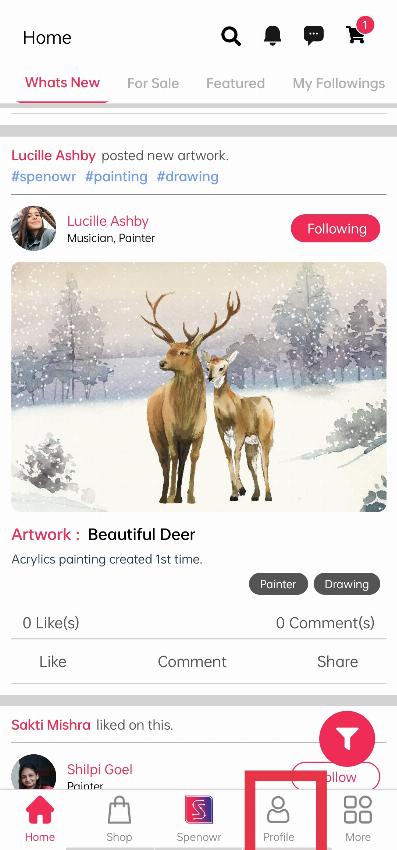
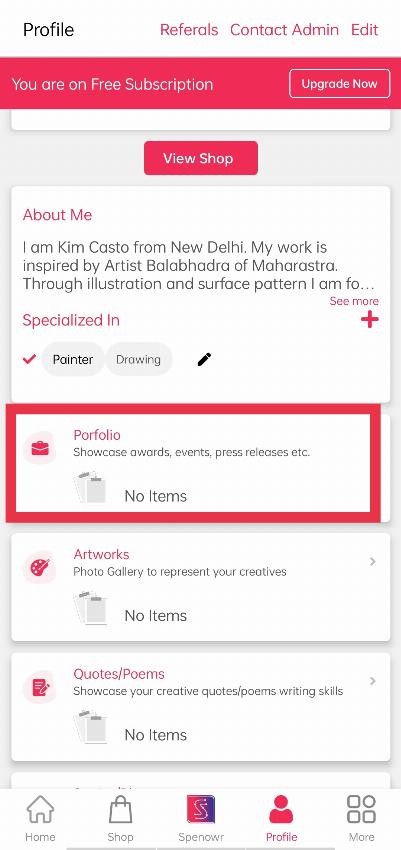
When you click on Profile, you will see your Profile, under that click the "Portfolio" section to add your Award details.
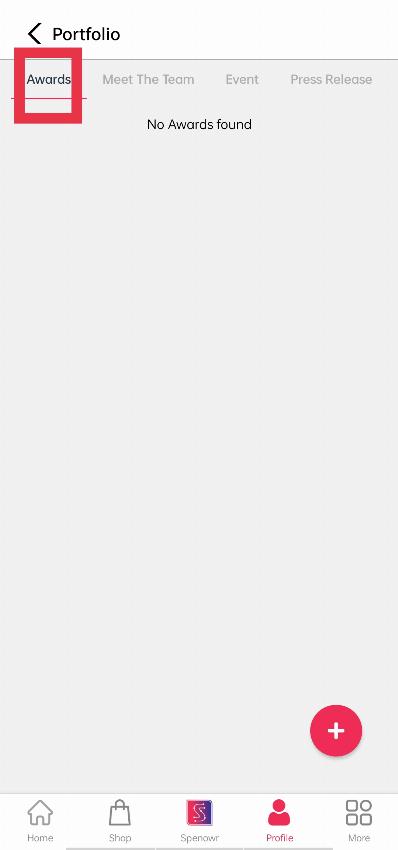
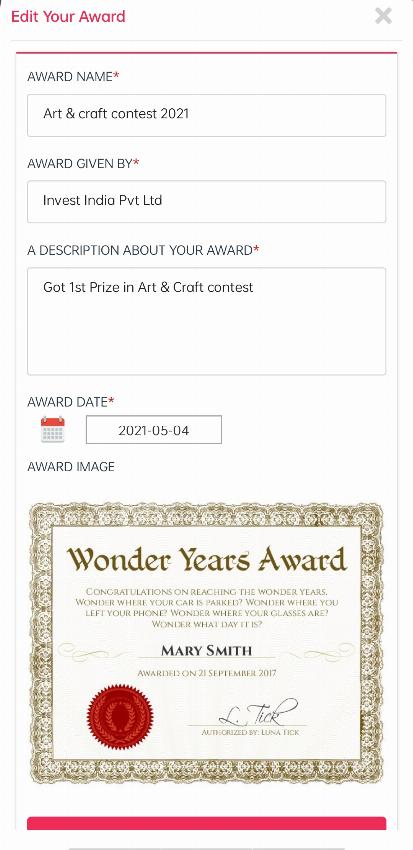
By clicking on ‘Portfolio’, you will come across a module written ‘Award’, by clicking on ‘+’ you will find these empty fields, where you can add your awards by adding the content and details about it.
Let’s discuss each one briefly so that it will be easy for you to understand the priority of each field or you can follow the below images and try to understand yourself.
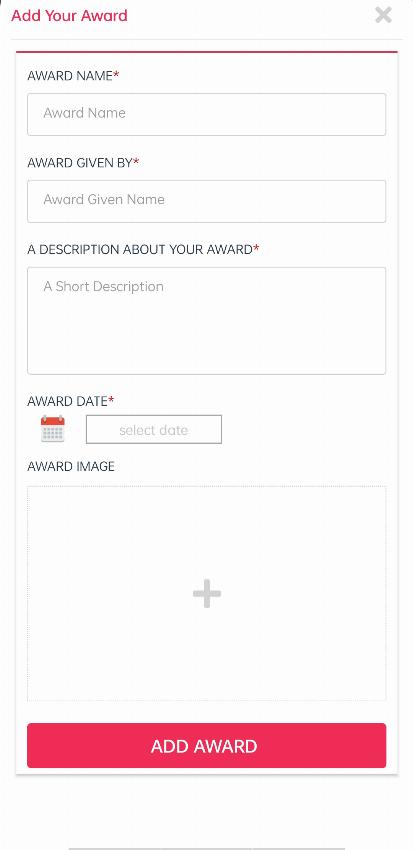
AWARD NAME: Here you can add your award name which will bring the audience’s attention to your award.
AWARD GIVEN BY: Name of the organization who is given by the award, you can write here
WRITE SOMETHING ABOUT YOUR AWARD: Here you can detail of your awards.
Note: Don’t use copied contents, which will later lead you to be penalized by admin/authority. Also, adding your own content with consistent effort will help you to grow better in the long run.
AWARD DATE: You can find your award date here.
IMAGE: Put a good image of your award.

Note: If you don’t want to fill all the fields, just try to fill the mandatory fields (Red-stared), as without filling them you can’t add your award.