an overview
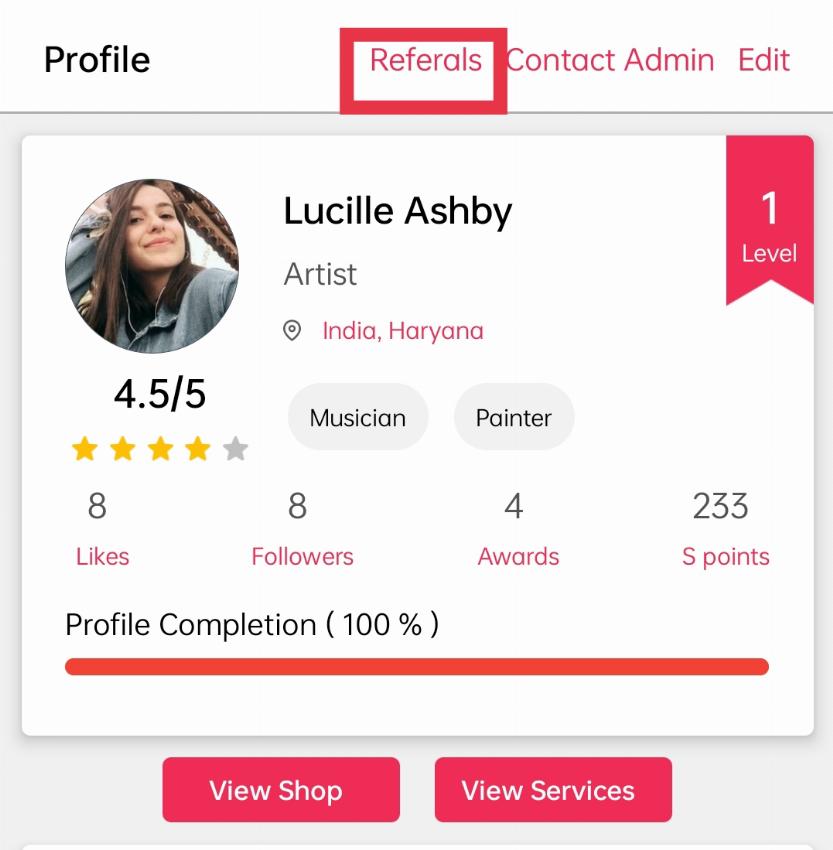
When you enter your profile, you will see a button named “Referrals”. Click on the ‘Referrals’ option to invite your friend.
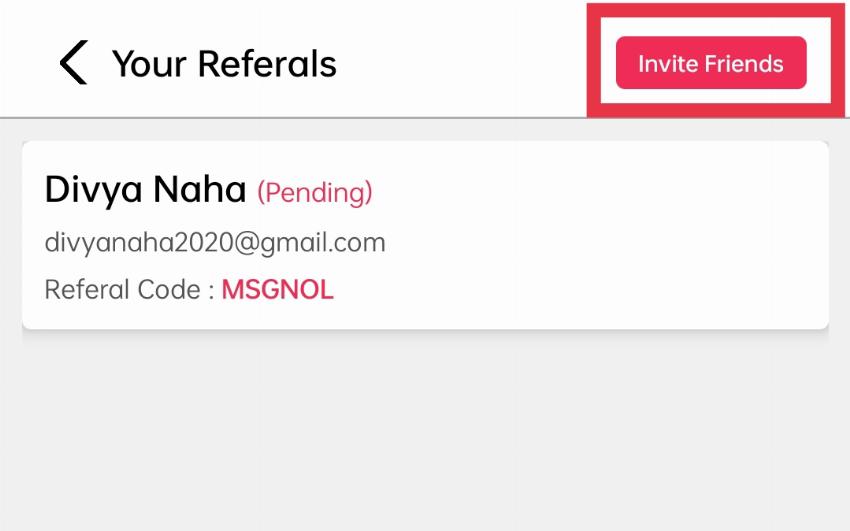
After choosing your option you will see your referral list, where you can see your invited friend’s list.
Click on the “Invite Friends’ button .
One popup window will open to send invitations.
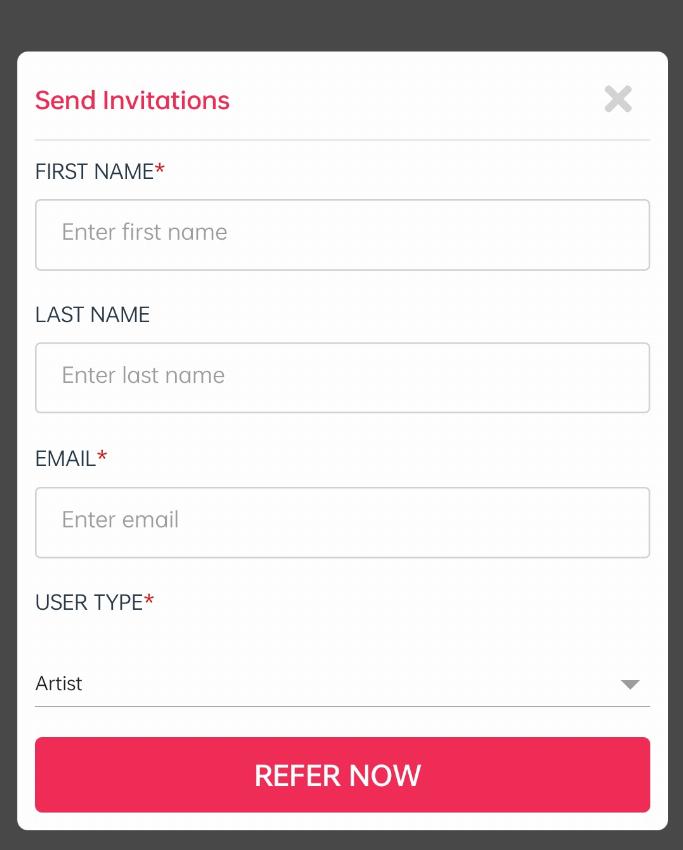
Let’s discuss each one briefly so that it will be easy for you to understand the priority of each field or you can follow the below images and try to understand yourself.
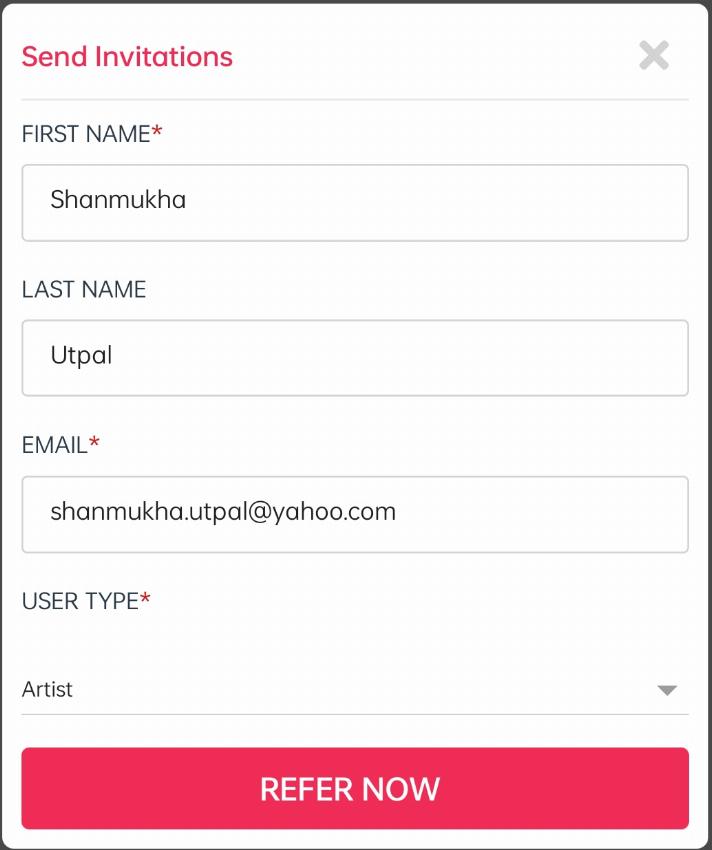
First Name: Here you can add your friend’s first name here.
Last Name: Put your friend’s last name here.
Email: Add your friend’s email id here.
User Type: Here you will find a drop-down with many options. Choose the User type which fits your topic.
Refer Button: After you fill all the field’s click on the refer button.
You will get a successful message that your request is submitted. Your invitation listed here with pending status.
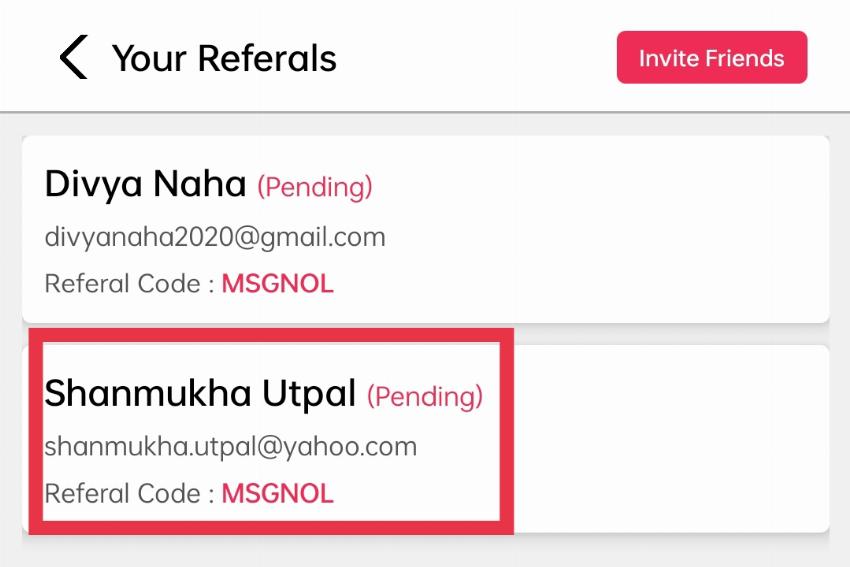
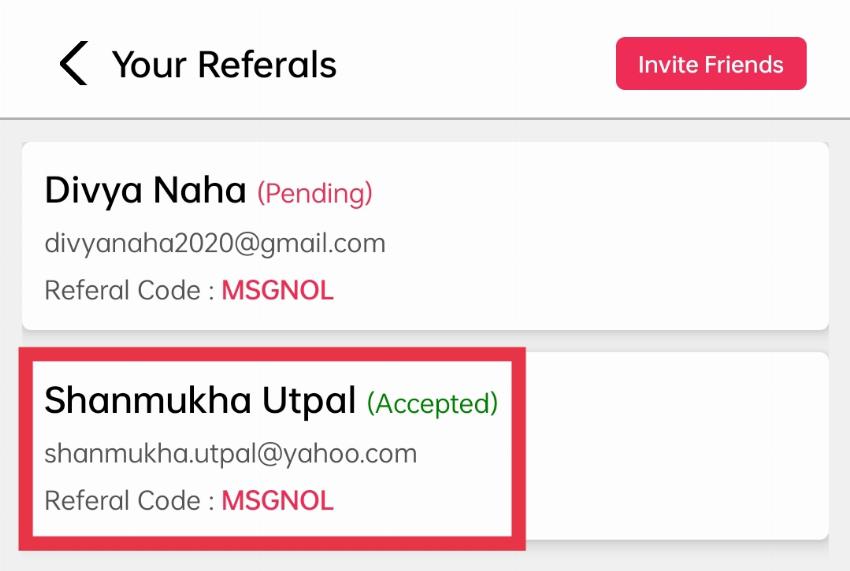
When your friend Login with Spenowr using your referral code then the status listed with approved message & you will get some spenowr-points.
Note: If you don’t want to fill all the fields, just try to fill the mandatory fields (Red-stared), as without filling them you can’t invite your friend.