an overview
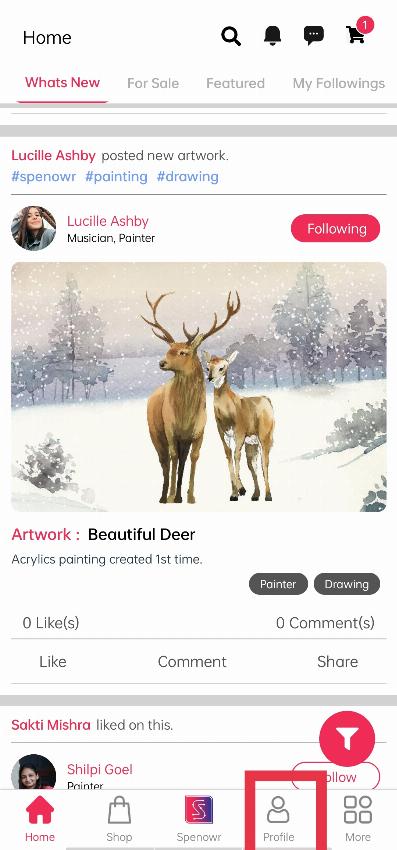
When you log in, you will see your home screen(What's new). Click on the ‘Profile’ option to see your profile.
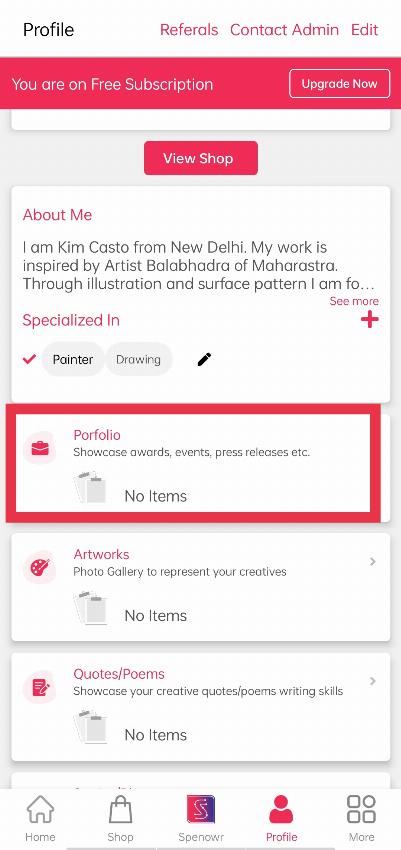
When you click on Profile, you will see your Profile, under that click the "Portfolio" section to add your press details.
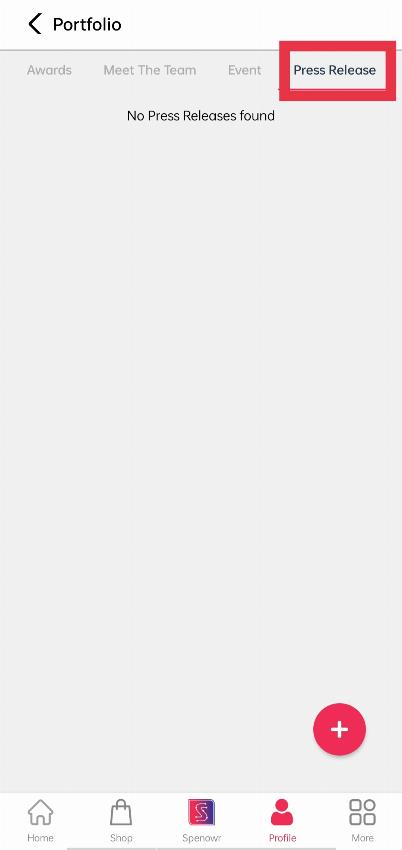
When you click on ‘Portfolio’, you will come across a module written ‘Press Release’, that clicks the button written ‘+’ to add your releases.
Let’s discuss the importance of each field separately to make you understand its importance.
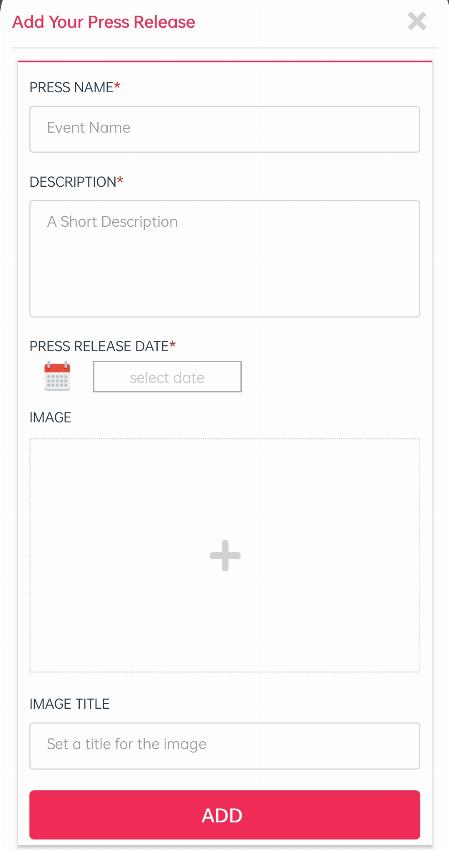
PRESS NAME: Here you have to add which media company has released about you, your organization, or your work.
DESCRIPTION: You have to add a small description about the seminar or about the topic on which the press released this article or story.
PRESS RELEASE DATE: Here you have to add the date of release of that article or story.
IMAGE: Here you can add the image of the article or story which is released on the media.
IMAGE ALT TEXT: Here you can add a text which will be shown when someone will hover on the image of the press release event.
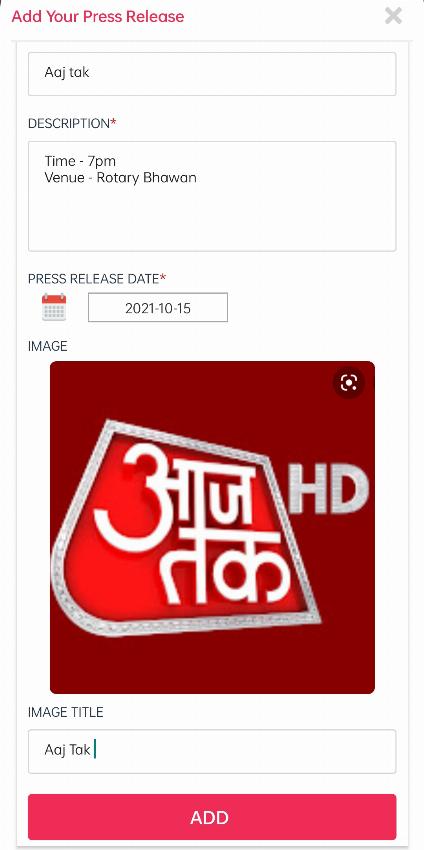
After adding all the data to their respective fields, click on the ‘ADD’ button to add this to your profile. After clicking on the add button you will get this type of view shown below. You can further edit or delete the press release by selecting the options below the press release post.
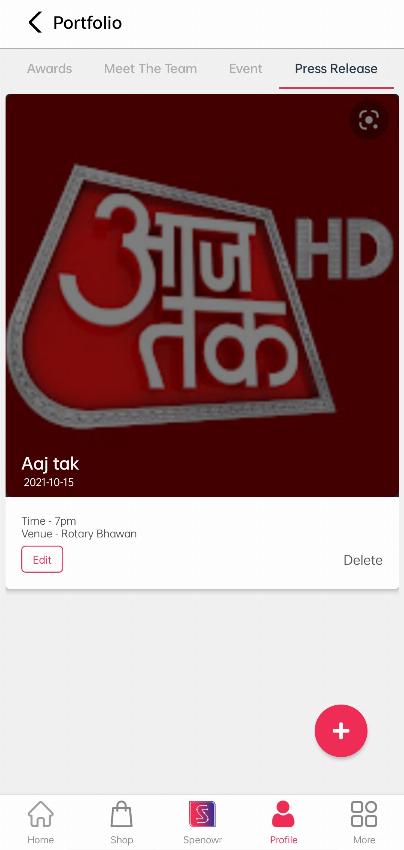
Note: Don’t add any fake news, by which you will be penalized later. Remember to add all the mandatory fields which are red starred to add the details successfully.